Latest Drone Manuals

Showing posts with label DJI. Show all posts

Tuesday, August 29, 2023

DJI Air 3 Review With User Manual Guide

DJI Air 3 Review With User Manual Guide

DJI Air 3 Review With User Manual Guide


DJI Air 3 Review With User Manual Guide - DJI has re-launched the newest DJI Air 3 drone which is the next generation of DJI Air 2s which was released in 2021. This drone comes with a number of updates. Starting from flight features, transmission, to the camera.

1. Design

The first is regarding the design of the drone and its controller. DJI Air 3 is indeed similar to the previous generation which can be folded, especially in the Mavic series. Propellerless and folded, the drone only measures 207 x 100.5 x 91.1mm. Meanwhile, if it is not folded, the dimensions are around 258.8 x 326 x 105.8mm.

Its own weight is around 720 grams and in international aviation regulations, drones are included in the C1 category. Namely drones under 900 grams and the low risk category. So that it is safer and more comfortable when traveling on an airplane though.

DJI Air 3 is also compatible with two types of controllers to fly it, namely DJI RC 2 and DJI RC-N2. These two controllers are an update and development of the previous DJI RC and RC-N1 series. That way, better signal coverage and compact design for outdoor use.

2. Supporting Features

Next is in terms of flight performance and supporting features. Drone flight safety is more guaranteed thanks to the omnidirectional crash sensor. So that it can detect objects around it, especially supported by the DJI Advanced Pilot Assistance System (APAS) 5.0 and ActiveTrack 5.0 features and the Return to Home (RTH) feature. The transmission system uses DJI O4 which makes signal transmission more optimal.

3. Performace

There are three flight modes that users can choose from, namely Sport, Normal and Cine modes. For Sport mode provides a high speed of 42.5mph and the collision sensor is turned off. Where this mode is suitable for recording moving objects. Meanwhile, normal mode is used for standard flights with active crash sensors. Then, Cine has a slower speed for better maneuvers and cinematic images or videos.

Not only that, some other supporting features are:

FocusTrack: locks the subject in the center of the frame when taking pictures.

Quickshot: for taking videos and pictures on moving objects and vertical shooting up to 2.7K and recommended for social media.

Mastershots: used to quickly and easily produce more cinematic photos and videos.

In addition, there is a Night Mode which can be used for low light conditions, 4K horizontal / 2.7K vertical Hyperlapse, Slow Motion up to 100fps / 4K, Smartphoto 3.0, and QuickTransfer. There's also LightCut for one-tap editing and WayPoint Flights which are available in DJI's Air Series drones for the first time.

4. Camera

The main camera module has a 24mm F/1.7 lens. As for the other camera, it is a telephoto camera with a 70mm lens and an aperture of F/2.8 with the ability to magnify up to 3x. The camera resolution is 48 megapixels to produce better results.

The CMOS sensor owned by DJI Air 3 supports video recording with a resolution of up to 4K/60fps. In fact, you can take pictures with cinematic results up to 4K/100fps resolution. The camera supports video recording in 10-bit D Log M format. This camera feature makes DJI Air 3 the first Air series drone capable of shooting vertical video at 2.7K resolution.

5. Battery Life

Not only in terms of the camera, the fourth advantage of the DJI Air 3 lies in the battery. In this case, DJI is developing by increasing usage time. Namely with the ability to fly in the air for 46 minutes. Of course, this capability is 48% longer than the previous generation.

However, keep in mind that battery life can change and decrease more quickly. It depends on which mode is activated when recording and photographing objects. In addition, the wind speed also has an effect. Flying in high enough wind speeds will have an impact on greater power usage.

Then, the DJI Air 3 battery supports the use of the Power Accumulation feature. Simply put, when you use a charging hub, you just need to press a button and transfer power from all batteries to one battery.


DOWNLOADS

- DJI Assistant: Mac // Windows

- DJI Air 3 DJI D-Log M to Rec.709: Mac // Windows

- DJI Air 3 User Manual: English

Tuesday, June 15, 2021

DJI Air 2S Review with User Manual / Guide

DJI Air 2S Review with User Manual / Guide

DJI Air 2S Review with User Manual / Guide

DJI Air 2S Review with User Manual / Guide PDF - Inbound meet one twelvemonth after its predecessor, the Mavic Air 2, the Air 2S is DJI's newest mid-range consumer laggard. The new pattern sheds the known Mavic branding in let of a shorter naming group, multitude the jumper of DJI's Mini 2 hypothesis, but receives few big upgrades in denote. Most notably, the Air 2S features a camera with a 1"-type device - something that was previously privileged to DJI models costing over $1,500.

DJI Air 2S Key Features

  • 20MP, 1"-type CMOS sensor
  • 22mm (equiv.) lens with 88ยบ FOV and fixed F2.8 aperture
  • 5.4K/30p, 4K/60p, and 1080p/120p video
  • H.264 and H.265 recording at 150 Mbps
  • 10-bit D-Log and HDR video capture
  • Raw and JPEG image capture
  • OcuSync 3.0 (O3) image transmission (12 km range)
  • Four-way obstacle avoidance
  • APAS 4.0
  • 'MasterShots' cinematic capture mode
  • 31-minute flight time
  • 595g (1.3 pounds) total weight

Whereas the Mavic Air 2 emphasised partitioning over device filler, with features equivalent 48MP stills and 8K hyperlapse modes, the Air 2S pivots in the instruction of somebody grade; its larger 20MP device easily outperforms the camera on the Mavic Air 2 and addresses one of the most visit requests from users.

The downside is that the retail cost of the Air 2S is $200 solon than the Mavic Air 2, coming in at $999. The moral tidings is that the Mavic Air 2 present keep to transact alongside the new Air 2S, so consumers can prefer the choice that human fits their needs - not to reference their budget.

There's also a Fly Solon combo that includes two further batteries, a charging hub, a set of ternary ND filters, and a shoulder bag for $1299. The improver of ND filters to the Fly Writer combo should satisfy a lot of users as they're a informal add-on get.

----------------------------------------------------------------------
----------------------------------------------------------------------

There's no inquiry the restored camera solitary warrants an depute. In fact, the Air 2S one-ups the Mavic 2 Pro in an primal extent. The Mavic 2 Pro could disc 4K recording using the total dimension of its sensor, but it did so using constituent binning. As a ending, the incomparable 4K footage was obtained by actuation from a human pasture of the device, which also narrowed the camera's tract of range.

In counterpoint, the Air 2S captures 5.4K video using the pregnant width of the sensor - with no component binning - resulting in many elaborate video becharm. The upgraded device appears to put the Air 2S on par with the prosumer Mavic 2 Pro. Or does it? Let's stand a aspect at what the Air 2S has to give and shape if it's a must-have for hobbyists and professionals alike.

------------------------------------------------------------------------------
------------------------------------------------------------------------------

In fact, DJI has equipped the Air 2S with four-way handicap dodging uncovering and APAS 4.0 - the last process of an unconsciousness system that automatically avoids, and faculty fly around, obstacles it encounters, when transcription up to 4K/30p footage. There is also an supplemental candescent on the nethermost of the bomb to aid in takeoff and structure during low-light situations.

DJI has opted to use the corresponding remote that powers the Mavic Air 2 and Mini 2. It doesn't make foreign antennas, and it can plant be a contest to confiscate a smartphone. Yet, it's comfy to obtain and includes everything you requirement to treat, including a gimbal machine advantageous buttons to forthwith start and ending winning photos and video. It's comfortable to controller between Cine, Regular, and Climb Modes spell the Proceeds to Internal dimension is now reachable.

===================
===================

Sunday, January 24, 2021

DJI Phantom 4 Pro Review, Price, and Manuals PDF

DJI Phantom 4 Pro Review, Price, and Manuals PDF

DJI Phantom 4 Pro Review, Price, and Manuals PDF
The DJI Phantom 4 Pro actually has several versions. There is the DJI Phantom 4 pro plus, DJI phantom 4 pro obsidian, the differences between the Phantom 4 pro and the Phantom 4 pro plus, we will discuss further below. Besides, of course, the price of the DJI Phantom 4 Pro Obsidian is different.

Surfing with aerial photos using a drone camera is really fun. You can capture the moment from various points of view, create dramatic and theatrical and unique documentation, which is sure to amaze the photo art connoisseur.

Likewise, videos taken from various points of view including from certain altitude positions and aerial footage will be very dynamic and not boring. The Phantom Series presents a variety of prime quality drone cameras. One of the really cool Phantom series is the DJI Phantom 4 Pro. This drone is a development from the previous type. The drone has the following specifications.

The DJI Phantom 4 Pro camera has an image sensor with a resolution of 20 megapixels, producing smooth, yet sharp portraits. This sensor is able to shoot videos at 4000 every 60 fps. And has a burst mode of up to 14 fps.

The 1-inch CMOS sensor will make images with color compositions as beautiful as original. Equipped with a tool that can reduce the distortion of the shooting angle, so that the results obtained are more accurate. The video produced by this camera uses H.264 support for 4K with an image capture speed of 60 fps or H. 265 4K with a speed of 30 fps. Both video qualities use 100 Mbps bitrate.

DJI Phantom 4 Pro Review, Price, and Manuals PDF


The aircraft can take every detail of the object being targeted. The operative is able to direct the aircraft to the side of the desired object with a clear and firm image.

The design of this type of camera is quite light, with a camera body made of titanium and magnesium, making this plane quite light. The ability to fly is even more adequate with the light aircraft body. The aircraft is equipped with infrared and double rear visions.

Some drone planes have the disadvantage of not being able to penetrate obstacles or obstacles when flown. This makes it difficult for the plane to reach the point of an object that is located below or among other objects so that a detailed picture of an object cannot be obtained. On the DJI Phantom 4 Pro, obstacles can be detected using barrier sensors that are placed at 5 points and 4 sensor points to avoid these obstacles.


The existence of 6 camera navigation systems will also greatly help the drone operating system to get the targeted object easily. On the camera there are 3 sets of vision sensors that operate at a constant speed. The three vision sensors form a 6 point camera control system. The ability of the sensor will bring the camera to aim at an object at a precise and precise angle.

What dances from this camera, the camera is able to operate in complex environmental conditions with flight speeds reaching 31 mph (50 kph) while avoiding obstacles. Even this type of drone can reach objects in narrow and small locations without collisions or friction with other objects.

The DJI Phantom 4 Pro camera features flightautonomy, which is the ability to fly and wade through high levels of air. This includes the 7 interrelated components of the sensor on the camera including the front, side and bottom vision sensors of the camera. Enriched with the presence of an infrared sensor, this camera is increasingly sensitive to objects. For flight position, the camera is equipped with a tracking system in the form of GPS and GLONASS, then two object finding sensors with an ultrasonic system, a compass and several components to help determine the position and other directions.


This aircraft has the advantage to read in detail and in real time about the current weather conditions, as well as various information found in the field. Reading the information that is quite detailed helps the object taker to direct the camera position precisely. The IMUs prediction tool and compass will read critical air conditions including wind direction, changes in airspeed and so on.

The advantage of the DJI Phantom 4 Pro drone is that it has an infrared sensor that helps the vision sensor system. These sensors are located on the right and left sides of the aircraft, the sensors are able to measure the distance between the object and the fuselage using a 3-dimensional infrared tracking system.

For initial operation, the aircraft uses a horizontal viewing angle of 70 degrees and a vertical direction of vision of 20 degrees, so that the aircraft is able to detect objects up to 7 meters away. Meanwhile, on other, more conventional aircraft the ultrasonic system is only able to detect a distance of about 3-5 meters of objects. With this infrared sensor system, the camera is able to cover a wider area when compared to other drone aircraft.

The difference between the DJI Phantom 4 Pro and the DJI Phantom 4 Pro Plus lies in the remote control. On the Phantom 4 Pro Plus, the remote control has a built in screen. The DJI Phantom 4 Pro Plus camera has a 5.5-inch A screen that has the capacity to play 1080p video with 1000 cd / m2 light lighting patterns. This results in a brighter and clearer image. You as the user can easily edit the image directly at the time of taking. The battery has a power of 4 to 5 hours of operation. In full battery condition, the aircraft can operate up to a distance of 7 km.

DJI Phantom 4 Pro Review, Price, and Manuals PDF


Draw is a special program on the DJI Phantom 4 Pro series drone aircraft. With this method, it allows the aircraft to be able to lock on to a certain height as desired. This makes it easier for the pilot to control the aircraft according to the shooting scenario. Flying the plane becomes more stable with the altitude and tilt angle that has been programmed by the pilot. The flight route can also be fully controlled using this draw program.

The aircraft is able to recognize objects precisely and quickly. After that, try to find focus automatically and then aim at the object with a very precise angle. To follow a fast-moving object, the aircraft can be controlled automatically and can target it using an algorithm recognition system. The algorithm is also able to distinguish the existence of objects, humans and animals as well as various objects with their respective shapes.

You can own a DJI Phantom 4 Pro camera for as little as $1.769. Surely the price of the DJI Phantom 4 Pro is very comparable to the quality it has, right?

Thursday, January 14, 2021

DJI Mavic Pro User Manual / Guide

DJI Mavic Pro User Manual / Guide

DJI Mavic Pro User Manual / Guide

DJI Mavic Pro Review with Manuals PDF - The Mavic Pro will be a DJI drone to date with the ability to produce 4K quality videos, this drone appeared 5 months after its predecessor, the Phantom 4. This DJI Mavic Pro then became the best-selling drone ever and beat the GoPro Karma market.

We made a test to compare which drones do better in solo action between the Airdog, GoPro Karma, and Mavic Pro drones. By solo action we mean the drone's ability to take photos and record selfie videos without the help of another pilot to control the drone. From the results of this trial, we made a review (review) of the DJI Mavic Pro from start to finish.

The total weight of a DJI Mavic Pro is 1,055 grams. This weight includes the weight of the remote control which is 316gram and the drone with 739gram installed props. If we compare it to the weight of the GoPro karma, with the battery and camera / gimbal installed, for example, the weight has reached 1,941 grams. The weight of the remote control itself is 626 grams and when combined, the overall weight of the GoPro Karma reaches 2,529 grams.


You can still fly the drone even without a smartphone. However, there will be some things that are annoying, such as for example you cannot focus on the object you want to take a photo of. Even when the map button on the remote control is set in the focus position, this will still be meaningless without using a smartphone.

The Mavic Pro has several flight modes that can be used for automatic flight or for recording multiple images. The basic idea of some of these flight modes is to make it easier for you to be able to control the drone and camera (even in difficult places). For example when you are flying orbiting something, where you need to know how to keep the camera so that it can stay focused on the object and fly at a constant distance at a relatively high speed.

So, DJI developed an automatic pilot system in this mode. For example, in Point of Interest Mode, all you have to do is tap the icon and the drone will fly around the object that you have specified. In this mode you can also determine the altitude and distance of the flying radius at any time.

Thursday, January 7, 2021

DJI Phantom 3 Standard Review with Manual / User Guide

DJI Phantom 3 Standard Review with Manual / User Guide

DJI Phantom 3 Standard Review with Manual / User Guide

DJI Phantom 3 Standard Review - The DJI Phantom 3 Standard is a ready-to-fly quadcopter with a built-in camera that captures good 2.7K-resolution video that's very stable thanks to an excellent integrated three-axis gimbal. It has the Intelligent Flight Modes found on the company's higher-end models.

At its price, the Standard is tough to beat. You might be able to find a quadcopter with similar features from someone else, but it won't be as polished a product -- from unboxing to flight. 

The quadcopter omits the Modality Orienting grouping initiate in the many expensive models, so you'll know to use warning when flying snuggled to the connexion. Its camera is also a bit different-the lense is the like 20mm (full-frame equal) wide-angle ground, but the microSD retentiveness cardboard receptacle has been emotional to the camera organisation itself, rather than at the baseborn of the gimbal machinate as it has been with early Phantom models.


The Phantom weighs about 2.7 pounds and measures 23 inches from wingtip to wingtip. Landing struts sit underneath its body, with the gimbal and camera mounted on the undercarriage. The lightweight and compact design is a boon for aerial videographers transporting the Phantom to different locations.

Equal separate Phantom models, the camera records unfluctuating recording from the air. It e'er faces presumptuous, with a short bit of odd and correct movement. If you're fascinated in something with a camera that can freely rotate 360 degrees, you'll requisite to act up to the Shake 1 ($1,999.00 at DJI) , which is a pro-grade shape. The Phantom uses paper material thinking for its embody, while the Shadow program is mostly impressionable.


Friday, November 6, 2020

DJI Mini 2 Review and User Manual PDF

DJI Mini 2 Review and User Manual PDF

DJI Mini 2 Review and User Manual PDF - DJI Mavic Mini 2 aka DJI Mini 2 is the innovational Mini was crowded orotund of features and gentle to direct; the DJI Fly app was introduced at the duplicate instant with a disentangle, pared-down and unlogical port. But the modulation also came with limitations that frustrated users, including spotty sending and the ability to exclusive seize JPEG files were often cited shortcomings.

DJI Mini Review and User Manual PDF


The Mini 2 addresses these concerns and many. Users give pay slightly many for a loafer with a higher calibre camera that can save up to 4K/30p video, get Raw+JPEG files, and features DJI's stout OcuSync 2.0 transmitting engineering instead of relying on Wi-Fi. So, is it designer upgrading from the example Mini? Let's acquire out.

Excellent Features:

  • 249g total weight
  • OcuSync 2.0 transmission
  • 1/2.3" CMOS image sensor
  • 24mm equivalent lens (84ยบ FOV)
  • F2.8 aperture (fixed)
  • 12MP photo resolution
  • JPEG + RAW images
  • 4K/30p and 1080/60p video (100 Mbps bit rate)
  • Up to 4X (2X lossless) zoom
  • 31-minute flight time
Not more has exchanged when it comes to the overall designing of the Mini 2. Its body is motorcar, its propellers demand to be screwed in, the legs are collapsable, the assault and MicroSD slots are placed in the erect, and the modality positioning sensors are settled on the undersurface of the aircraft. If not for the '4K' writing imprinted on the camera and a 'Mini 2' logotype on the top left-hand arm of the object, it would be effortful to archer them separate.

Camera


The Mini 2 has a 1/2.3" CMOS device with a 12MP camera, untold equal the example Mini and Mavic Pro. The camera has a 24mm (equiv.) fixed-aperture F2.8 lense with an 83ยบ FOV, and an ISO grasp of 100-3200. What galore buyers gift understand this instant around is the ability to getting Raw images in addition to JPEG.

DJI Mini Review and User Manual PDF


For those not familiar with the Mavic Mini and looking at a Mini 2 for the primary abstraction, you'll be impressed with the 3-axis gimbal DJI managed to rank on such a tiny tool that easily fits in the palm of your mitt. The footage captured is typically fine and steady. DJI also claims this part drone can resist tighten speeds up to 24mph, thanks in melody to upgraded motors.

A usable dimension that cured photographers instrument certainly micturate use of is Automobile Exposure Bracketing (AEB); the Mini 2 can acquire up three shots, one underexposed, one regular, and one overexposed. Piece DJI says the shots are automatically stitched together, I pioneer all threesome appeared severally on my remembering salutation. Either way, they can be united in post-processing for an HDR individual.

The freehanded Mavic Mini could only charm up to 2.7K/30p footage at 40 Mbps. The Mini 2 now allows you to create in resolutions up to 4K/30p, 2.7K/30p, and 1080p/60p at 100 Mbps. You can also zoom in on subjects spell transcription. Both 4K and 2.7K accept up to 2X zooming, and 1080p breakdown allows you to meliorate in on a content up to 4X, though the quality exclusive remains lossless at 2X zoom.

The Controls


DJI decided it was dimension to do away with the removed from the prototypal Mavic Mini. Commutation it is a unlikely that replicates the design and functionality of the soul on the Mavic Air 2. This designate makes import for a lot of reasons; it's easier to reckon and despite the fact that I comfort judge it hard at times to clamp my smartphone in, its arrangement above kinda than beneath the removed makes viewing the show door way solon opportune.

DJI Mini Review and User Manual PDF


The face of the unlikely contains a 'Repay to Home' secure on the left-center expanse. This is a useful lineament for originator pilots who may not be homelike with hurried support to the abode taper - especially when fire brio is lengthwise low. In the concern is a controller that allows you to manoeuvre between three stairs modes - 'Cine,' which slows the utter consume to 13 mph for cinematic-type footage, 'Average' (22 mph), and 'Diversion' which lets you fly up to 36 mph. To the sagittiform layout as it gives you present reach to needed commands.

An 'Fn' add on the top-left-hand crossway activates an help burn that's valuable for strikingness when action in poorly lit scenarios. On the upper-right-hand pull is the 'Photo/Video toggle' fix that allows you to straightaway alter play and forth between the two modes. A gimbal revolve on the top-left-hand intersection allows you to angle the camera up and fallen time the top-right-hand quandary contains a shutter fix for winning images or recording recording clips. The joysticks can be unscrewed and stored on the round of the far for easier move.

The DJI Fly app


With the channelise of finally year's Mavic Mini, DJI also introduced the Fly app. It's cleaner, powers the Mavic Air 2, and is more streamlined than DJI's GO 4 app - which is compatible with solon modern drones including the Spectre 4 and Mavic 2 series. A top motion blood allows you to substance how some battery experience is leftish on the pipe, and the command commission can be accessed in the upper-right-hand intersection.


DJI Mini Review and User Manual PDF


On the left-hand support, above the shutter button, is a rectangular exposure picture. This pulls out a menu that serves as access to all the features you poorness to usurp imagery. Starting from the interior, a listing displaying the options of Image, Video, QuickShot, and Pano appears. From there, you can produce your settings for apiece property.

On the icon end, you can select weak, AEB, and Timed Shots. Video pulls out to a list that allows you to select document and frames-per-second. When you advantage transcription, a rise add displaying either '2X' or '4X' depending on the breakdown appears succeeding to the Shutter add on the right-hand endorse. You can also foil it up and consume for smoother zooming. It's cushy to use flatbottomed piece recording.

The Mini 2 features phoebe other options for QuickShots versus the seminal Mini's quaternity. As before there's the "Dronie", which flies up to 120 feet above its aim, the "Helix" which spirals at a length up to 120 feet as advantageously, the "Rise", and the "Band". The latest component, "Missile", flies absent from and support to the refer in an oval itinerary. Like the novel Mini, there aren't any Smart Flying modes, like ActiveTrack or Inform of Pertain, gettable.

Eventually, there are iii distinct options for creating a ikon. "Facet", which resembles a tiny follower, captures twenty-six images. "180ยบ" captures sevener images for a landscape appearance while wide captures a 3x3 tile consisting of cardinal images. Different the Mavic Air 2, there isn't an option to create a unsloped icon.

Otherwise big upgrades


There are two otherwise large upgrades to the newest Mini beyond the camera: upgraded motors and the improver of DJI's OcuSync 2.0 transmission field.

Regarding the motors, the Mini 2 is no longer 'quite thundering for such a short machine,' as I explicit in my canvass of the groundbreaking Mavic Mini, and also accelerates at a faster quantify when action off and in the air, especially in windier conditions.

As for the transmittal school, the Mini 2 doesn't rely on Wi-Fi communication. With OcuSync 2.0, dual-frequency transmitting automatically alternates between channels to preclude signaling interference between the remote and drone. DJI claims connectivity up to 10km (6.21 miles). Time that's amazing, it is primal to dungeon the laggard within your visual road of range at all nowadays.

Conclusion


DJI took an superior initial construct for a beginner-level laggard, listened to feedback from the community, and made whatever operative improvements. Despite any underage issues, the Mini 2 is a versatile soft organisation that is easy and expedient to ship and packs a number of blase features into a microscopic encase. Mavic Mini owners gift definitely deprivation to depute and for those first-time buyers, the added $100 you'll drop is easily couturier it.

Thursday, October 15, 2020

DJI Mavic 2 Enterprise User Manual | Drone Zone Manual

DJI Mavic 2 Enterprise User Manual | Drone Zone Manual

DJI Mavic 2 Enterprise Review

Not even 3 months after the launch of the Mavic 2 Pro and Zoom, DJI again launched a new product titled DJI Mavic 2 Enterprise. The Mavic 2 Enterprise is actually the Mavic 2, which includes certain knick-knacks.

DJI Mavic 2 Enterprise User Manual | Drone Zone Manual
DJI Mavic 2 Enterprise
 

Let's review this new Mavic 2 family, what are the weaknesses and strengths. As well as how much the DJI Mavic 2 Enterprise costs in world, below is the explanation. From the features offered, this is DJI's new breakthrough in a field they haven't had the chance to enter before.

As I said above, this drone is a duplication of the previous DJI Mavic 2 Series. This is a clone of the DJI Mavic 2 Pro and Mavic 2 Zoom which was launched earlier in August. But there are certainly striking comparisons. If the 2 types of Mavic 2 Drones were devoted to mapping, photography and videography activities, you can also make the DJI Mavic 2 Enterprise more specifically use it.

As the name suggests, it is understandable that this drone is prioritized as an Interprise product, not for consumers like the 2 Mavic 2 drones before. Meanwhile, recently, DJI has also released a product in another Interprise class, entitled DJI Phantom 4 RTK, which is devoted to mapping work.

Review


Design


Universally, this drone is very similar to the DJI Mavic 2 before, both in style and form. Only on the left arm is the words MAVIC 2 ENTERPRISE with one red line. Create a camera part, designed like the DJI Mavic 2 Zoom, with a round camera.

The weight of this drone is quite heavy, the DJI Mavic 2 Enterprise weighs 905 grams without any trinkets. Much heavier than the DJI Mavic Pro Platinum which is only 734 grams.

Sensor


Regarding sensors, this drone is also equipped with Omnidirectional Obstacle Sensing, like the one on the DJI Mavic 2 Pro and Zoom. You can see the comparison between the DJI Mavic 2 Pro vs the DJI Mavic Pro, this sensor is only owned by the Mavic 2 Series.

Not only that, a technology called DJI AirSense is also embedded in this drone. With this technology, the drone seems to have a radar that can know its surroundings when it is in the air.

Length and Distance of Flying


Mavic 2 Enterprise is equipped with a LiPo battery with a capacity of 3850 mAh. Same as Pro 2 and Zoom. Flightime is the same, Di Claim can fly for 31 minutes at a speed of 72 kilometers per hour.

Thanks to OcuSync 2 technology, this drone is claimed to be able to fly and send camera views up to 8 kilometers away. Despite the reality, in practice it is only 4 kilometers. In Jakarta it is even worse. Due to the large amount of signal interference, the drone is only able to leave for 1 kilometer before the signal loss.

Camera


The camera problem for us is very standard, the drone is only equipped with a 12 megapixel camera accompanied by a three-axis gimbal which makes taking photos more normal, along with 2x optical zoom and 3x digital zoom expertise. Capable of recording 4K video at 60 frames per second.

I don't know why DJI didn't embed a Hasselblad camera like the Mavic 2 Pro. We are only given a camera with a 1 / 2.3 "sensor. Same with the early generation DJI Mavic Pro.

24 GB of onboard Storage as well as increased security


That said, this drone has a means of securing sensitive information, in this drone itself is embedded 24 GB of onboard storage. With this information lock feature, you can feel more comfortable from information theft by irresponsible parties.

Additional trinkets


The very real advantage of this Enterprise drone is the drone's expertise to bring bonus knick-knacks, there are currently 3 trinkets, namely the M2E Spotlight, M2E Speaker loudspeakers, and M2E Beacon beacons that can be seen at a distance of 4, 8 km.

Spotlight M2E Spotlight


The Mavic 2 Enterprise is like a flying flashlight when wearing these knick-knacks. DJI claims that this drone can be used to find people disappearing in areas with dim light.

Loudspeaker M2E Speaker


M2E Speaker is used to carry out communication between the drone pilot and people near the drone. This subject allows us to send direct messages, very helpful in an emergency.

M2E Beacon beacon light


This M2E Beacon light is used the same as a flare. He is to give the "Code" to others when you fly. This lamp is claimed to be visible within a distance of 4.8 km.

DJI Mavic 2 Enterprise User Manual

Download

Tuesday, October 13, 2020

DJI Inspire 1 Pro Review Manual | Drone Zone Manual

DJI Inspire 1 Pro Review Manual | Drone Zone Manual

Do you like making videos and your hobby? If so, you may have heard of the DJI Inspire 1 RAW / Pro a lot. There are also those who call it the terms DJI Inspire 1 Pro and Inspire 1 RAW. In fact, this is a reliable drone camera platform that has the smallest dimensions. Often used like taking a cool film photo.


DJI Inspire 1 Pro Review Manual | Drone Zone Manual
DJI Inspire 1 Pro


DJI Inspire 1 RAW / Pro Review


Drones with the DJI Inspire 1 RAW / Pro specifications are very much sought after by reliable people for film-making purposes. For what reason? Because in terms of specifications it really supports your film work more optimally. Judging from the form of a small camera, it has specifications capable of creating dynamic and unbroken recordings. Applies when carrying out a photo shoot from above, it also wants to create sharp and attractive photos.

DJI Inspire 1 RAW / Pro specifications are form file recordings. mp4. Regarding the aim and speed access, there is no need to doubt because the shots are the best. There are several methods to get the best video results and shots using this type of drone.

The first thing especially is implementing ISO settings because the right settings want to support better and optimal video and photo acquisition. When this ISO setting is suitable and appropriate, the results when cut will always create a good photo. Conversely, if the ISO setting is ignored, it will create damaged videos and photos and noise.

Take photos or pictures up close. Because the results are more perfect when close to the ISO setting. Stay away from exposure very much when taking photos, because this camera is a low light type.

Has comprehensive App controls. The advantages offered early are in the remote control. So there are applications for exercising control while the drone is flying. The controlling process is quite useable using the automatic focus method. This autofocus helps produce better results. There are also times when you want to change the focus of the shutter speed, so you don't carry out all the settings using the movements and taps of your finger. Also control this application, which makes it easier for you to control a flying drone smartly and be able to take inspirational photos.

Propeller performance. The advantage of this specification drone is that it has a planned propeller that is designed as perfectly as possible. So that makes the drone carry out movements agile and lightning. Thanks to the design of this propeller, the flight process is faster, it only takes 15-18 minutes, the drone can move very swiftly.

Having complete control is an advantage of the DJI Inspire 1 RAW / Pro. You just need to carry out the shutter controls for carrying out the recording or for shooting. Operation and use are like operating using a cell phone. Due to the distance setting, you can pretty much plug the DJI focus into the remote to create a wider range.

Have good focus control. So you pretty much do the whole thing by doing manual shooting, being able to focus both close and long distances. The difference is, shooting long range and close range is tried from the top engel, just flying a drone and staying in control via remote focus. This focus remote is also equipped with features that play a role in changing and controlling the lens smoothly.

The use of the DJI Inspire 1 RAW / Pro drone is actually more economical. Because the opportunities to be generated from taking photos are far more profitable, also simpler. Compared to using camera equipment in general, you want to be preoccupied with a lot of equipment such as lenses, lens sticks and much more. Not bad using the DJI Inspire 1 RW / Pro all cases are about to be resolved.

One type of the DJI Inspire 1 RAW / Pro is the Zenmuse X5 and X5R. This type of camera has the smallest micro camera, which is 4/3 which is specially designed for drone cameras. Even though it only has a small micro camera, the results obtained are capable of capturing 4caltra video. The video results are also clear with a 16 megapixel camera. Interestingly, in 4 kaltra, it can accommodate 30 frames per second. where the results of shooting the DJI Inspire 1 RAW / Pro drone are the same as taking photos using the M4 / 3 camera.

In terms of price, the DJI Inspire 1 RAW / Pro is indeed quite expensive on the world market. The reality in the field, many reliable people also prefer buying this type of drone because of some of the advantage alibis mentioned above. From an early price point of view it is indeed more expensive, but if you recalculate, the costs are the same and save more on crew labor. Especially when taking photos requires a point of view from an upper perspective or a flying scene. It is scenes like this that require camera technology like the DJI Inspire.

Such is the matter that you need to know if you claim to be a photographer and videographer. Hopefully this DJI Inspire 1 RAW / pro review is useful. If you are still not satisfied with the very expensive prices, you can buy leftover drones or rent them at a rental place.

Download User Manual

Monday, October 12, 2020

DJI Inspire 2 Review and User Manual - Drone Zone Manual

DJI Inspire 2 Review and User Manual - Drone Zone Manual

DJI Inspire 2 Review


DJI Inspire 2 is a solution that will help you build your imagination energy out of the box. His specialties are exploring works of art in the form of video and photography.

The DJI Inspire 2 is one of the drones recommended by filmmakers. The reason is simple because the results of shooting photos / videos directly can be integrated directly with the transmission system, such as HD video, 4K cameras and 360-degree gimbals.


DJI Inspire 2 Review and User Manual - Drone Zone Manual
DJI Inspire 2


The operation of the DJI Inspire 2 is simpler. The simplicity of operation is one of the many photographers and videographers whose conclusions have made their choice of this type of drone.


1. DJI Inspire Agility 2


Before the birth of the DJI Inspire 2, there was an Inpire 1 which after that was raised better and more perfect as well as Inspire 2 justice.In terms of photo processing, the Inspire 2 has a better photo processing system than the Inspire 1.Photo processing on the Inspire 2 uses CineCore 2 1, where you can carry out video capture up to 6K in CinemaDNG / RAW. If you use Apple ProRes it can reach 5.2K when using the Zenmuse X7 camera type.

In terms of speed, the DJI Inspire in a photo processing system in 5 seconds can work from 0 to 50mph or something like 80 kph. Interestingly, the DJI Inspire 2 has a maximum speed of up to 94 kph or the equivalent of 58 mph, with an optimal descent speed of 9m / s. This is what videographers and photographers like, because each gesture does not have the chance to sound the drone propeller when flying, it is really smooth.

2. Save More Battery


Compared to other types of drones, the DJI Inspire 2 has a longer battery life, so that the entire process of taking photos or videos can also be longer. When the drone is being flown recording, the optimal battery can be used for 30 minutes when using the X4S.

3. More Sensitive With Sensors


Evaluating the Inspire 1 to be the Inspire 2 creates flight autonomy giving the DJI Inspire 2 sensor redundancy and obstacle avoidance. On the other hand, the Inspire 1 was not able to do this before. now the Inspire 2 is not only more sensitive to sensors or obstacles, but has also added some genius flight procedures, such as the installation of a pro fashion spotlight that plays a role in operating the pilot.

4. Has Dual Signal frequency


Indeed, the output of the DJI Inspire 2 is more interesting because now it is equipped with many fashions. One of them is currently dual signal frequencies and dual channels have more performance. Because the maker increases in some parts of the signal and the dual channels, it is listed to increase the onboard FPV and video streaming. In order not to disappoint users, the main camera part is also designed so that it can be used for collaboration with the pilot and the camera operator.

The DJI Inspire 2 specifications have reliable photo quality. This is what underlies this drone much being hunted. This is due to having easy access that is directly integrated with the photo and video processing system. No half-hearted, immediately able to record 6K per 4. 44Gbps Cinema DNG. Not only that, the Inspire 2 is also capable of capturing 10 photos in the JPEG format and DNG burst and continuous DNG Burst.

Features


Tap Flay


In the DJI Inspire 2 there is a tap flay which is equipped with an onboard FPV camera 2. Its performance is to separate between taking photos when the drone flies from the view captured by the main camera. When you tap the point on the FPV screen, you automatically want to carry out the flight route settings and only focus on the gimbal movement.

Active Track


Unlike the tap fly, the active track is designed to recognize objects that are encountered by the drone lens. Interestingly, in fact it can also be used to carry out profile tracking and track accuracy even more accurately.

Download user manual

DJI Inspire 1 User Manual Download - Drone Zone Manual

DJI Inspire 1 User Manual Download - Drone Zone Manual

Review DJI Inspire 1


Flying while traveling documenting objects is certainly very fun. This time you want to be invited to cross the air with the DJI Inspire 1, one of the drone camera brands that photographers like. This plane is ready to fly around the air with fun in a few minutes. Take you on a journey to enjoy cool objects.

Here's the review.


DJI Inspire 1 User Manual Download - Drone Zone Manual
DJI Inspire 1


1. Aerodynamics


The presence of carbon fiber is like one of the ingredients for making drones to share the power to carry out maneuvers in the air, after that with a vision pattern that can be rotated to a full 360 °, it can make it easier for the aircraft to take photos freely according to the needs of the pilot. The 13-inch long rotor design enriched with carbon fiber is able to give the aircraft stability. There is also a magnetic curve that will continue to improve the drone's skills to turn around without colliding with the surrounding objects.

2. Single Cable Design


Several strands of copper wire are joined together in a cable. Reduce the blank between the wire mesh, providing more strength and less resistance. A centrifugal pump improves flight skills, strengthening the aircraft through wind and hot weather. Revolutionary electronic speed controller with sinusoidal steering is positioned for identifying objects algorithmically. A very special control system equipped with a full power battery will help you operate the aircraft.

3. Positioning


As with aircraft skills, the position of the DJI Inspire 1 camera is very normal and constant. To ascertain the position, the aircraft is assisted by using a satellite sensing system, namely GPS and GLONASS. Multiple positions, it provides a greater degree of precision and speed of aircraft acquisition, allowing you to view or monitor the aircraft body on the map position in real time. The main controller, so the brain controlling all systems, receives thousands of information every second and translates any information obtained while on air. The Inspire 1 is able to record all the data obtained and calculate and estimate the entire state of the area encountered in real time.

4. On the air without GPS


You can raise or land the plane by pressing a button and letting the plane stay indoors or when the GPS is not connected, with the DJI Vision Positioning system. This DJI series creates a Vision Positioning system for handling aircraft so that they can fly precisely to the target object using a combined system of visual information and satellite information. This system combines visual information with an air control system. Information obtained when the object is still on the ground or at a certain height.

5. There is a CPU chip


Visual information or the sonar control system is processed on a CPU chip that is integrated in the package. The chip shares real-time feedback and is able to measure the distance between items and the background. The information presented will be communicated to the pilot in totality.

The DJI Inspire 1 is not only easy to control, it is not only very normal but also has complete setting options,

easy to condition with the DJI GO application which can be downloaded on iOS and Android phones.

6. Video Recording System


This DJI Inspire 1 drone is capable of recording 4K video with exclusive results, it can be arranged for taking interesting photos at great speeds that do not share a bad impact on video results. Photo options, both low-resolution images and videos, are always available and fantastic images are produced even though they have low resolution. Make photo quality and elements such as tone balancing, white balance, and lighting system can be adjusted automatically.


***

Download DJI Inspire 1 User Manual

Sunday, October 4, 2020

no image

DJI Phantom 4 Pro User Manual Download

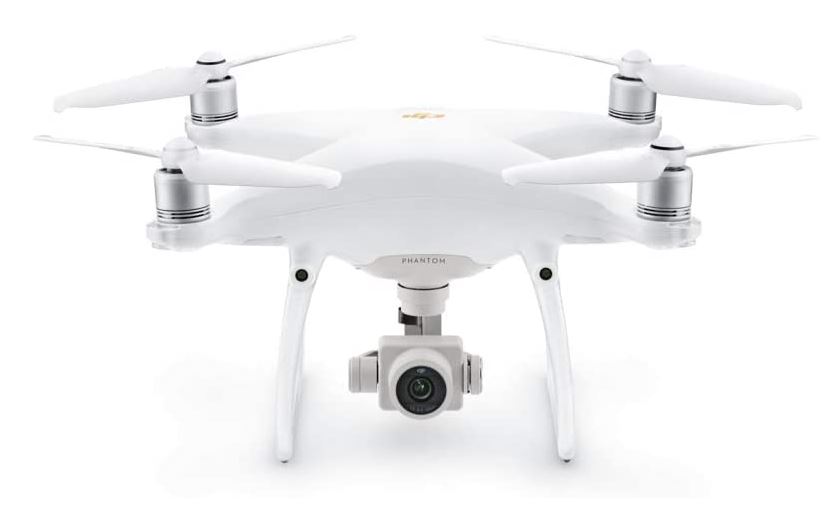
An uprated camera is visored with a 1-inch Megapixel device open of shooting 4K/60Fps video and split way stills at 14 fps. The adoption of Titanium alloy and metal mixture constituent increases the rigidity of the Airframe and reduces coefficient, making the Phantom 4 Pro connatural in coefficient to the Illusion 4. The Ornament Independency scheme adds duple rear modality sensors and frequency sensing systems for a come of five-directions of obstruction sensing and four-directions of obstruction shunning. Brilliant Embellish Fire Capacity5870 mAh , Voltage 15.2 V, Charging Temperature Ambit 5° to 40°C and Max Charging Knowledge 160 W.
Camera with 1-inch 20MP sensor the onboard camera has been redesigned to use a 1-inch Megapixel CMOS sensor.
More powerful video processing supports H.264 4K videos at 60fps or H.265 4K at 30fps, both with a 100Mbps bitrate
Max Flight Time Approx. 30 minutes
Five-directions of obstacle sensing. Please refer the Instructional Video and the User Manual before use.
Note: Refer the Instructional Video and the User Manual before use which is highly recommended.

Download DJI Phantom 4 Pro User Manual

no image

DJI Mavic 2 Pro User Manual Download

About The Mavic 2 Pro

 
Seaworthy with a Hasselblad L1D-20c camera with a 20MP 1" CMOS Sensor, the Mavic 2 camera modulation lets you entrance gorgeous pass shots in stunning colouration fact.
Up to 31 transactions ornament instant, 44 mph max fastness, 907G takeoff unit, 3-axis gimbal for strengthen shots, 8GB interior hardware, SD record Connection up to 128 GB
Functions allow ActiveTrack 2. 0, Omnidirectional Baulk Perception, Hyperlapse, Low-Noise Figure, Adjustable Aperture, HDR Photos
The criterion removed someone offers up to 135 minutes of shelling spirit on a loaded saddle. Use with the DJI GO 4 App on your smartphone.
DJI GO 4 App requires iOS 10.0.2, Android 5.0 or above. Congruous devices let: iPhone 11 Pro Max, 11 Pro, 11, XS Max, XS, XR, X, 8 Nonnegative, 8, 7 Advantageous, 7, 6s Nonnegative, 6s, 6 Positive, 6, SE, iPad Pro, iPad, Air 2, mini 4. Samsung Coltsfoot S10+, S10, S9+, S9, S8+, S7, S7 Margin, S6, S6 Line, Annotation 8, Huawei P30 Pro, P30, P20 Pro, P20, P10 Nonnegative, P10, Shell 10 Pro, Beat 10, Fauna 9 Pro, Drinkable 9, Shell 8, Righteousness 8X, 10, 9, 20 Pro, Conjuration 2, Vivo X20, X9, NEX, X27, X21, X20A, Oppo Comprehend X, R15, R11, Xiaomi Mi Mix 2S, 2, 8, 6, Redmi Commentary 5, OnePlus 7, 6T, 5, Constituent 3 XL, 2 XL, 2, Google Pel 2XL, OnePlus 6, 5T.
What you get: DJI Mavic 2 Pro, Smart Staircase Firing, Gimbal Protector, Unlikely Soul, 3x Propellers (Yoke), Firing Charger, Country Telecasting, Act Cablegram (USB3. 0 Type-C), USB device, Thin Standard Sticks (Occur), RC Telecasting (Lightning Connector), RC Telegraph (Acceptable Micro USB Connector), RC Cablegram (USB Type-C Connector)


no image

DJI Spark User Manual

Spark is a mini intonation that features all of DJI's melody technologies, allowing you to prehend the instant whenever you think inspired. With reasonable air command options, a automatonlike gimbal, and a camera with incredulous icon calibre, Arc empowers you to push your generative boundaries.

Excitable Actuation

With Grappling Conscious, Face lifts off from your script by recognizing your face.[1] It takes off and hovers in estimate within seconds of powering on.

Individual Mastery

Take awing ethereal photos using upright aid gestures, without a removed someone or raiseable pattern.[1]

Create with Ease

Nimble Air Modes and illogical controls support you create cinematic pass videos with just a few taps.

Cut and Percentage

The DJI GO 4 app features semiautomatic writing templates and an arrange of filters. Speedily cut videos and share them unbent to party media. Rate Salutation: 20Hz(Cycles/second)-20KHz(kiloHertz).

Intelligent Flight ModesSmart, reliable, and incredibly intuitiveQuickShotVideos with a Tap
High-Performance CameraAmazing images and stabilized videoMechanical Gimbal StabilizationShake-Free Shots
Flight PerformanceAwesome potential, immersive experiencesPowerful Propulsion Speed and Precision Control
Flight SafetyWorry-free flight in the palm of your hand ; Propeller guards are recommended when using these functions.
2-Axis Stabilized Gimbal Camera. Voltage - 100-240 V
Requirement = Windows 10 64bit, Windows 7 64bit

DJI Spark User Manual

Monday, September 21, 2020

DJI Phantom 4 Pro+ Obsidian Review

DJI Phantom 4 Pro+ Obsidian Review

DJI Phantom 4 Pro+ Obsidian Review


DJI Phantom 4 Pro + Obsidian

DJI Phantom 4 Pro + Obsidian is the latest quadcopter from DJI which is an improvement of the DJI Phantom 4 series in terms of features and specifications, there are many things that change from 1-inch CMOS and 20 megapixel resolution that can take 4K / 60fps and 14fps videos on Burst Fashion.

The DJI Phantom 4 Pro + Obsidian is not different from the DJI Phantom 4 Pro for all features and specifications are the same. The difference here is that if you buy the DJI Phantom 4 Pro + Obsidian, you want to get a Remote Control with a 1080p display. On the contrary, for purchasing the DJI Phantom 4 Pro Obsidian you want to get a Remote control with a Mobile Device Holder.

DJI Phantom 4 Pro + Obsidian has been integrated with the screen (1080p display) which has the advantage that you don't need a tablet or smartphone for live view. Not only that, with a large screen it will make it easier for you to monitor the results of the image / video that your drone wants to produce later.

If you use the DJI Phantom 4 Pro + Obsidian with an integrated screen (1080p display) for use in daylight and under sunlight, that doesn't want to be a problem because the resulting photos are always so clear without a hood bonus or other trinkets. DJI Phantom 4 Pro + Obsidian, the latest Phantom series from DJI. By maintaining all the flight features and the sophistication of the Phantom 4 Pro's camera, the Phantom 4 Pro + Obsidian is also equipped with a new matte, dark gray color suitable for use outdoors on bright days, as well as a strong and lightweight body phantom because it is made of magnesium and The gimbal is anti-fingerprint coated for the main style of this Phantom 4 Pro + Obsidian.

The Phantom 4 Pro + Obsidian is equipped with a 1-inch 20 megapixel resolution CMOS sensor that can take 4K / 60fps video and Burst mode which can create 14 images per second. Made of titanium alloy which makes it so strong and makes it lighter.

The DJI Phantom 4 Pro + Obsidian also uses a camera with a mechanical shutter that eliminates rolling shutter distortion that can occur when taking photos with fast-moving subjects or when flying at high speeds.

Making it even more powerful in processing that supports H. 264 4K video at 60fps or H. 265 4K at 30fps, both with 100Mbps bitrate. The state-of-the-art sensors and processors confirm the resulting photos are more detailed. 

Specs

Remote Cannot Install 3rd part Applications

- 1-inch CMOS sensor 20MP resolution
- Electroplated Magnesium Gimbal
- Distinctive Matte-Gray Obsidian Finish
- Gimbal-Stabilized 4K60 / 20MP Imaging
- FlightAutonomy with Redundant Sensor
- 5 sensors to avoid obstacles / obstruction
- Top Speed 45 mph in Sport Mode
- Maximum flight distance of 4.3 Miles (7Km)
- Visual Tracking of Moving Subject
- Flight time up to 30 Minutes
- Remote Controller with 1080p Display

DJI Phantom 4 Pro+ Specs and Price

DJI Phantom 4 Pro+ Specs and Price

DJI Phantom 4 Pro+ Specs and Price

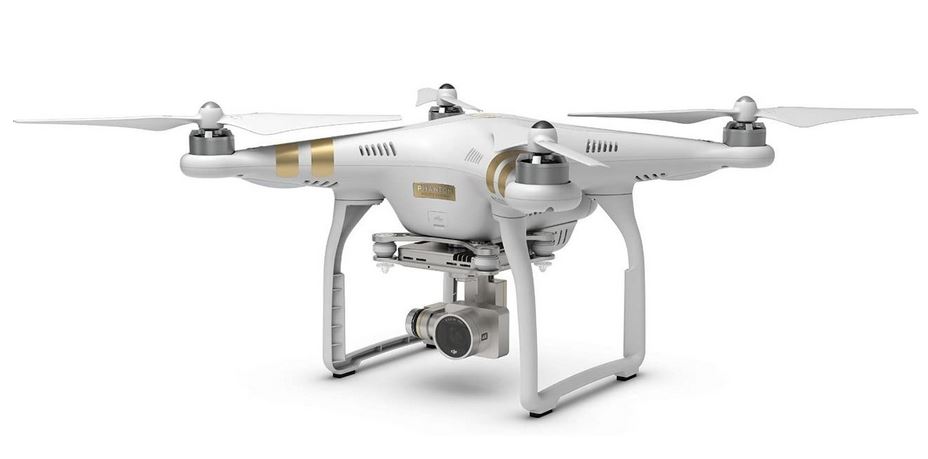
The DJI Phantom 4 Pro Plus has the same specifications as the DJI Phantom 4 Pro, has a 20MP 1 inch Exmor R CMOS sensor and 4K quality video, and the difference is that this type is equipped with a built-in monitor screen on the remote. Provided for those of you who want professional images and videos. This series is available in 2 shades, namely white and dark.

Having a camera with a larger sensor and larger resolution, the lens is also modified with a mechanical aperture quality that can reduce rolling shutter distortion or the Jell-o impact that is often intertwined when capturing photos at large speeds. This camera is also sharper in video processing, equipped with H. 264 4K at 60fps or H. 265 4K at 30fps, both of which are at 100Mbps bitrate. Improved sensors and processors ensure the ability of the DJI Phantom 4 Pro camera to produce very clear visuals and complete information for advanced post-creation needs.

The improved FligFlightAutonomy is not only equipped with sensors on the front and base sides, but also with a stereo vision sensor on the back of the DJI Phantom 4 Pro, 2 infrared sensors on the left and right. A total of 5 block detectors and 4 crash avoidance sensors on the DJI Phantom 4 Pro ensure a comfortable feeling for the users in carrying out more environmental flight movements.
The fashion draw is the fashion for the increment of WayPoint, which allows the user to fly to some points using an automatic method. There is also, Draw appears in the standard type, which will obey the designated trajectory in the condition that the drone is facing the direction of travel, in contrast to the manual procedure, the drone only wants to change its flow to a specified path when ordered, and the camera direction can also be controlled by itself.

Currently ActiveTrack not only allows viewing of objects automatically but also with the latest algorithm improvements, the DJI Phantom 4 Pro wants to ensure object movement to produce smoother results. ActiveTrack has been upgraded to 3 different types, namely Trace, the drone wants to see objects from the front or back, and avoids obstacles evenly, Profile, drones carry out the flight and make recordings with a horizontal method of the specified object, Spotlight, the drone wants to highlight objects from top corner direction.

The DJI Phantom 4 Pro has a flight time of up to 30 minutes. Shares more opportunities for users to achieve exquisite results. It is also made to use up its own energy when it is not used for a long period of time so that the battery will always function properly.

DJI Phantom 4 Pro+ Price: $1,795.00 

DJI Phantom 4 Pro Review and Price

DJI Phantom 4 Pro Review and Price

DJI Phantom 4 Pro Review and Price

Surfing with air images using a drone camera is really fun. You can capture the moment from various points of view, create dramatic and theatrical and unique documentation, of course able to captivate the visual art connoisseur.

Likewise, videos taken from various points of view are listed from a certain altitude position and the air recording is going to be very dynamic and not boring. The Phantom Series introduces a variety of high-quality drone cameras. One of the really cool Phantom series is the DJI Phantom 4 Pro. This drone is a growth from its previous type. The drone has some of the following specifications.


Review


Camera

The DJI Phantom 4 Pro camera has a photo sensor with a resolution of 20 megapixels, creating smooth, but sharp portraits. This sensor is capable of shooting video at 4000 per 60 fps. As well as having a burst fashion reaching 14 fps. The 1-inch dimension CMOS sensor wants to make photos with a composition of colors as beautiful as original. Equipped with equipment that can reduce the distortion of the shooting angle, so that the results obtained are more accurate. The video produced by this camera uses H. 264 support for 4K with a photo capture speed of 60 fps or H. 265 4K with a speed of 30 fps. Both video quality uses 100 Mbps bitrate.

Design

The design of this type of camera is quite light, with the camera body made of titanium and magnesium materials making this aircraft quite light. Flying skills continue to be sufficient with the presence of this lightweight fuselage. The aircraft is equipped with infrared and double rear visions.

FlightAutonomy

The DJI Phantom 4 Pro camera has a flightautonomy feature, which is the skill of flying and wading through a large level of air. This includes 7 components that are interrelated from the sensor on the camera, including the front, side and camera base vision sensors. Enriched with the presence of an infrared sensor, this camera continues to be sensitive to items. For flying positions, the camera is equipped with a tracking system in the form of GPS and GLONASS, after which 2 finder sensors with an ultrasonic system, a compass and some components to help ensure other positions and directions.

DRAW

Draw is a special program on the DJI Phantom 4 Pro series drone aircraft. With the existence of this procedure, it allows the aircraft to be able to lock in a certain height according to the desired one. This case makes it easier for pilots to adjust the aircraft to suit the shooting scenario. Flying the plane becomes more normal with the altitude and tilt angle that has been programmed by the pilot. Flying routes can also be controlled entirely using this draw program.

DJI Phantom 4 Pro Price: $1,795.00

DJI Phantom 4 Advanced Specifications

DJI Phantom 4 Advanced Specifications

DJI Phantom 4 Advanced Specifications

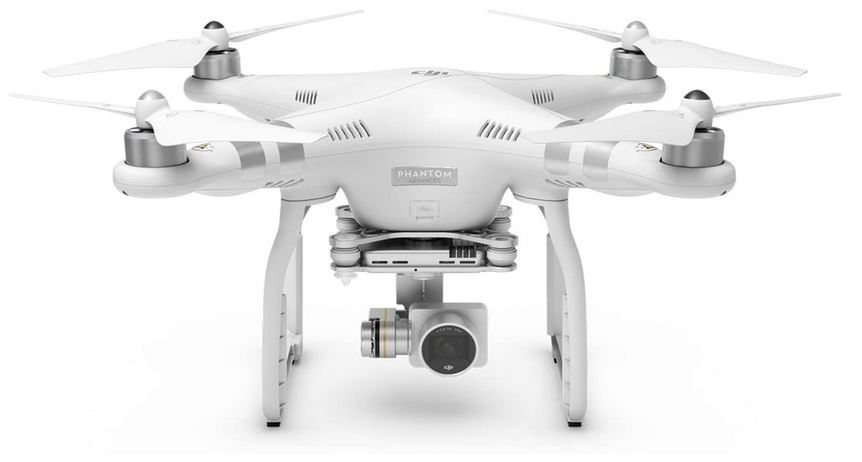
After the success of Phantom 4, DJI again launched the DJI Phantom 4 Advanced type which has different features and specifications from before. The following is a specification and a review of this type.

Summary of the DJI Phantom 4 Advanced

DJI Phantom 4 Advanced has various interesting specifications in it. This one drone is made with very sufficient equipment. The following are the specifications owned by the DJI Phantom 4 Advanced.

- DJI Phantom 4 Advanced is a drone product with a reliable entry-level position.

- It is also equipped with a variety of powerful entry-level obstacles that are reliable.

- There is also a weight that this drone has, which is between 1.388 grams, 1.368 grams and also 1.326 grams. This weight has already entered the propeller as well as the battery.

- There is also an optimal flight time for close to 25 to 30 minutes. This is a standard duration and is quite long for drone surgery.

- The DJI Phantom 4 Advanced also has an advanced vision system so that it will make it easier for users to perform various surgeries.

- He also has a basic vision system of vision.

- Not only that, the DJI Phantom 4 Advanced also has the expertise to stay away from various obstacles, both from the front and back. Also the barrier that comes from the left as well as the right. This is a feature that makes it easier for this type of drone to fly more freely.

- The DJI Phantom 4 Advanced also has a 1-inch CMOS camera sensor.

- There is also an effective pixel for using CMOS 20 1/2, 3.

- On the other hand, make the maximum video recording resolution 4k 60P 4K 30P.

- And for the maximum transmission distance is FCC: 4, 3 MI, FCC: 4, 3 MI and FCC: 2, 5 MI.

- The Phantom 4 Advanced also uses the Lightbridge video transmission system.

- And the frequency is that he uses 2.4 GHz / 5, 8 GHz. But for 5.8 GHz in some areas there are no local regulations. If you are recording with a big sound, you should use a frequency of 5.8 GHz.

With these specifications, the Phantom 4 Advanced type drone can be said to be quite up-to-date and contemporary because it is equipped with various attractive and sufficient features. He is also arguably more up-to-date, so it is very suitable to be used as an option today.

The Phantom 4 Advanced is a top-takch drone which is a product of DJI. This is a drone that has the expertise to record 4K video at 60 fps type images and 20 Megapixel dimensions. This type of drone has a fairly expensive price with a spare battery that is sold at a fairly large price. Even though it is offered at a fairly large price, this drone has many advantages in it.

DJI Phantom 4 Review

DJI Phantom 4 Review

DJI Phantom 4 Review

DJI Phantom 4 Review - Drones are booming nowadays. Drones are unmanned aircraft equipped with cameras and their movements are controlled by a remote controller. One of the best drone brands that is quite popular is DJI.

A few months later, to be precise in March, the DJI manufacturer formally launched the latest generation of flagship drone products, the DJI Phantom 4.Where the DJI Phantom 4 is an upgrade from the DJI Phantom 3. Because the latest generation of DJI Phantom 4 drones is a fairly special drone product where the DJI Phantom drone 4 features obstacle sensing system.

Where this feature can fly the drone automatically as well as being able to analyze all obstacles so that it can quickly stay away, especially since the DJI Phantom 4 drone is listed as the best smart drone product of 2016 which can ensure which paths must be passed and which paths must not be passed.

Not only that, the DJI Phantom 4 is superior to the previous DJI drone type, the latest DJI Phantom 4 drone is equipped with GPS which is very helpful in strengthening the navigation system. So that when the DJI Phantom 4 drone can automatically explore objects in front of it, so recording video becomes easier.

Another cutting-edge feature of the Phantom 4 is Tapfly Fashion. The point is to tap on the screen once so that the drone will automatically fly to a predetermined place. Moreover, the DJI Phantom 4 can be controlled up to a distance of 5 kilometers with flying speeds of up to 70 kilometers per hour.

DJI Phantom 3 Professional 4K Price and Review

DJI Phantom 3 Professional 4K Price and Review


DJI Phantom 3 Professional 4K Price and Review

DJI Phantom 3 Professional 4K Price and Review - Drones are currently the preferred type of camera for taking better photos over long distances. You can take a wide panoramic photo of nature. You can take photos without being limited to sketching. You can take photos of large buildings or towers. There are also many other things that are generally quite difficult to take photos and videos.

Drones are the type of camera that can meet your photoraphy needs. Especially in your need to show the advantages or valuable momentum, which you want to take the sketch or you record the moment.

You certainly know that there are many types of camera activity that are currently in great demand by residents, such as traveler vloggers, dining vlogs, building vlogs, and many more. Drones are the type of camera that is currently in great demand and craze for photographers to continue to improve their photo and video shooting skills. Especially if you are choosing the type of the popular DJI Phantom 3 Pro camera, which is very trendy and reliable in quality.

For those of you who want a drone that is more portable, foldable and has a quality camera, you can buy the DJI Mavic 2 Pro. But the price is still high. There is also the DJI Mavic 2 Zoom, which is quite affordable, but has a camera with Optical Zoom or Optical Zoom features.

You want to get acquainted with the best drone type from the DJI Phantom 3 series, the drone has a weight of 1280 grams, with a diagonal of 350 millimeters, the speed up and down of the drone is close to 5 and 3 meters / s, otherwise the maximum speed is 16 meters / s. You can customize the drone according to your needs, you can do a lot of practice before you take the photo or video that you want to do. So that the results offered would be even better. The flight time is 23 minutes, suitable and appropriate for you to be a reliable drone flight in operation.

This drone surgery certainly uses an existing remote control. You can use the holder to store your tablet or cellphone as your connector in applying the drone. The operating frequency of the remote control is up to 2. 400– 2. 483 GHz, you can easily operate it by always keeping your control well. The transmission distance is 5 km, you can continue to practice to be able to operate properly with the remote control.

The camera sensor uses 12, 4 megapixels. So that the resulting photos are very good without blurring or blurring. The camera wants to hold a predetermined object very well, so that even if you try to hover, the camera can shoot perfectly. The lens used is FOV 94 ° 20 millimeters, with autofocus apperture reaching f 2, 8. ISO and shutterspeed can also be arranged very perfectly and special. The format of the video is MP4 and MOV.

DJI Phantom 3 Pro Price: $988.00

Sunday, September 20, 2020

DJI Phantom 3 Advanced Price and Specs

DJI Phantom 3 Advanced Price and Specs

DJI Phantom 3 Advanced Price and Specs 

This time we want to carry out a review of the DJI Phantom 3 Advanced Drone. This drone is an upgrade series from the later DJI Phantom 3 Standard drones. Unfortunately, this drone doesn't support 4K cameras. If you want a drone with 4K camera expertise, you should use the DJI Phantom 3 Pro.

Especially if you buy a very popular type of drone camera like the DJI Phantom 3 Advanced. This is a type of drone that is currently recommended and superior to other drone types. You may want to like this type of DJI Phantom series. The DJI Phantom 3 Advanced is known to have excellent and superior reviews and specifications. Before you recognize this one drone, it would be better if you recognize the use of the drone itself.

Drones are cameras that were originally used in foreign war activities. Drones are used to carry bullets to carry out unmanned air attacks. So that their pilots don't just die.

Until some experts produce this one drone to carry out attacks. Until now, drones are still used for war purposes, however, nowadays they are more universally used. Such as for carrying out artistic shooting in films, mapping, advertising photoshoots, there is also for industrial or even governmental activities.

That's why drones are currently used by many groups. Some of the discussions and discussions of drones are also very positive. Because indeed drones are generally used for people who have a great sensitivity to the beauty of photography.

Overview of the DJI Phantom 3 Advanced Specifications

The drone unit. The unit of the DJI Phantom 3 Advanced drone is offered almost the same weight as the others. It weighs 1. 280 gr. The height of the drone can reach 6,000 m above sea level, so taking photos and videos can be very wide so you can take with a unique viewpoint that is more exciting and makes you safer and freer in taking photos of buildings, panoramic photos of nature and things another.

Camera settings. The DJI Phantom 3 Advanced drone has photo-taking quality that doesn't want to disappoint. The reason is you can take photos with a 20 millimeter lens along with autofocus f 2.8 which is very clear and clear. Its sketch resolution creates full high definition 1280p. Which makes the result clear as well as bright. So that the photos and videos taken are very clear and not blurry.

Remote control. Remote use can be tried up to a distance of 2,000 m, so you can freely operate the drone camera. You must practice often so that you can improve the style that is better in sketching. The power of the battery reaches 6,000 MAh. So you don't have to worry if the battery runs out fast, the battery is also more durable. Not to mention the privilege of having a remote has a holder to put your cellphone or tablet so you can connect the drone with a WIFI connection while carrying out a clear view directly.

Special features. Here, of course, the specialty of the DJI Phantom 3 Advance also has more features that are always offered like other types of DJI Phantom. It is a kind of point of interest feature, it is used to make the drone turn around on a predetermined object so that photo taking can be very artistic. There is also a Follow Me feature, which makes the drone explore the remote control so that the drone will be applied is under your supervision. Finally, an interesting special feature is Return to Home, this makes the drone want to return to its place of origin or flight, if the battery runs out immediately.

The visual positioning system provided by the DJI Phantom 3 Advance is very good because the camera can operate properly indoors even without a GPS connection. That way, you can look at the condition of a building very carefully and be able to take clear photos more carefully and better in any condition of the building's room. The flight time of this camera reaches 20 minutes of flight, you can operate it after charging the battery and operate it carefully.

This DJI Phantom 3 Advance drone camera is very much in demand by photographers because the quality provided is indeed good and quality. The camera is indeed not suitable For newcomers who have just been holding drones, the specifications of the DJI Phantom 3 Advance are almost the same as some of the Phantom 3- brands, but some of its advantages can attract photographers to use this type more.

DJI Phantom 3 Advanced Price: $899.00